
The Marketing Cloud Connector is free, its storage is not
How the standard Marketing Cloud Connector and JB Email Send Log differ in Salesforce storage use, credential control and what agents see on a record.
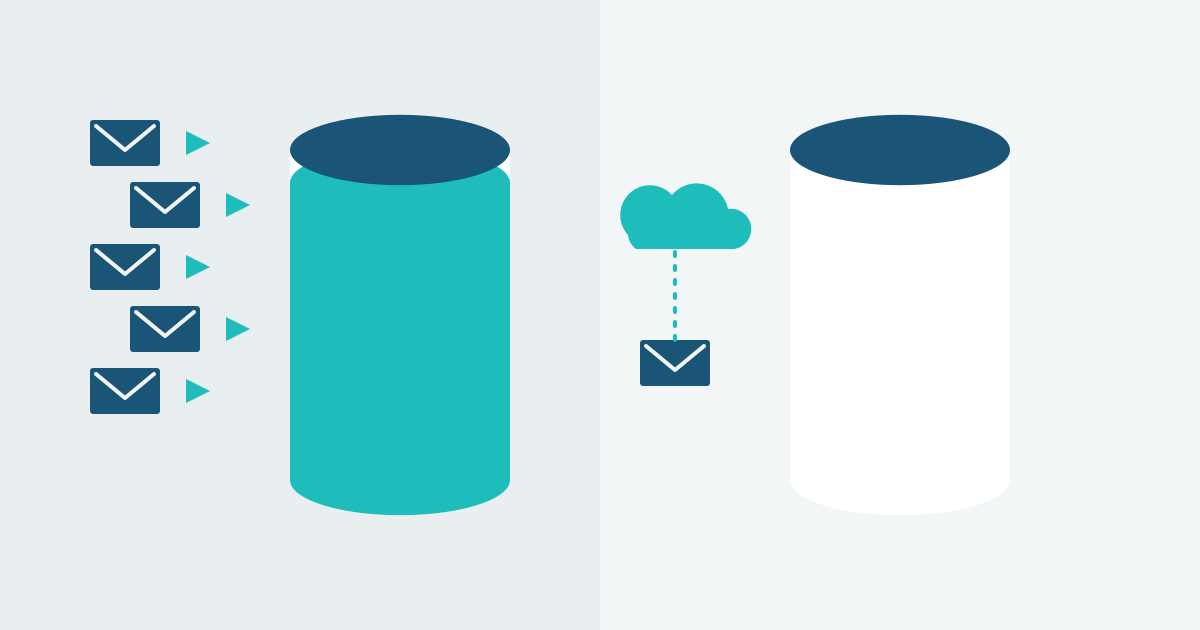
Customers ask us why they should pay for JB Email Send Log when the standard Marketing Cloud Connector is included with Salesforce. It is a fair question. The Connector is built by Salesforce and it does show Marketing Cloud Engagement data in your org. The difference is where that data ends up, and what that costs you.
What the Marketing Cloud Connector does
The Connector syncs data from Marketing Cloud into your Salesforce org: send logs, tracking data, and subscriber information. For each tracked send it writes a record per recipient, plus one for each clicked link. Each of those records counts against your data storage allowance, and Salesforce storage is not cheap.
At B2C send volumes those records grow quickly, and so does your data storage use.
What JB Email Send Log does instead
JB Email Send Log stores nothing in Salesforce. The email history stays in Marketing Cloud, where it already is. The app queries it on demand through an indexed copy of the Send Log. Your org’s storage stays where it was before you installed the app.
Who controls the credentials
JB Email Send Log connects to Marketing Cloud through a Named Credential, the standard Salesforce mechanism for storing API credentials. Your security team can audit it, rotate it, and control access with the same Setup tools they use for every other integration.
What the agent sees on the record
With the Connector you can show sent emails in a related list. JB Email Send Log lists every send on the record, including triggered and journey sends. An agent can open the online version of the email the customer got, personalisation included, and resend it from the same component.
Which one should you use?
If you run a small Marketing Cloud operation with low send volumes and plenty of storage headroom, the Connector may be all you need.
JB Email Send Log is worth a look if storage cost is a concern. The same goes if you want every send and a resend button on the record, or run a B2C org with high email volume. It is installed per org, not through AppExchange, and priced on request.
What to do next
Check your current data storage use under Setup, Storage Usage, and how much of it is Connector data. Then request information and we will arrange a demo of JB Email Send Log on a record.